



In brief
- Technical SEO decides whether search engines can find, read and trust your pages, before content even matters.
- Check five areas: crawling, indexing, speed, structure and tracking. Most checks need only Search Console and a browser.
- Fix what blocks pages from being indexed first; speed and structure come next.
You don’t need to be a developer to check whether your site has technical SEO problems. Most of the important checks take a browser, Google Search Console and an hour. Here’s the checklist we use, in the order that matters: if search engines can’t crawl or index a page, nothing else about it counts.
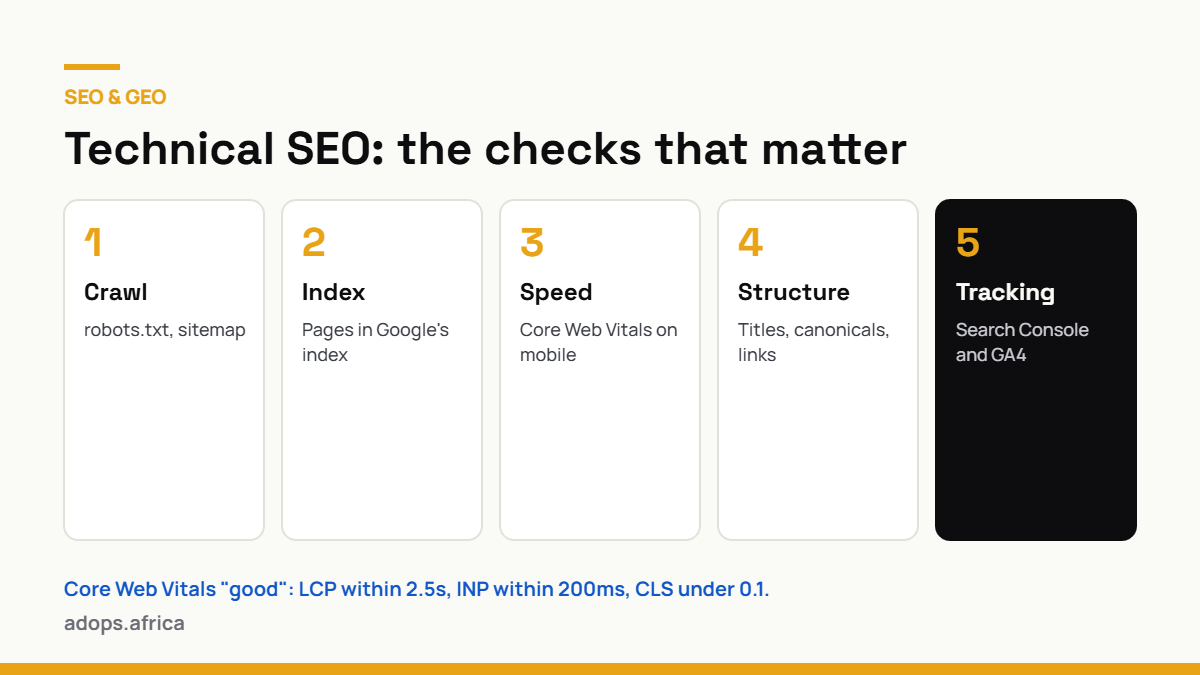
1. Crawling: can search engines reach your pages?
- robots.txt: open yoursite.com/robots.txt. Make sure it doesn’t block pages you want found. A leftover ‘Disallow: /’ from a development site is a classic launch mistake.
- XML sitemap: make sure you have one, that it lists your important pages, and that it’s submitted in Search Console.
- Broken links and redirects: internal links should point straight to live pages, not through chains of redirects or to 404 errors.
2. Indexing: are your pages in Google?
- In Search Console, the Pages report shows which pages are indexed and why others aren’t.
- Use the URL Inspection tool on your most important pages. It tells you whether each one is indexed, when it was last crawled, and what Google saw.
- Look for accidental ‘noindex’ tags, especially after a redesign or a move from a staging site.
- Check canonical tags: each page should point to itself, or to the main version if there are duplicates.
3. Speed: Core Web Vitals
Google measures real users’ experience with three Core Web Vitals. A page is ‘good’ when Largest Contentful Paint (how fast the main content loads) is within 2.5 seconds, Interaction to Next Paint (how quickly it responds) is within 200 milliseconds, and Cumulative Layout Shift (how much it jumps around) is under 0.1. Search Console’s Core Web Vitals report shows which pages pass, for mobile and desktop separately.
- Compress and resize images; use modern formats such as WebP.
- Remove unused plug-ins, tags and scripts. Our GTM container audit helps with tags.
- Use caching and a content delivery network if your host offers one.
4. Structure: can search engines understand your pages?
- Each page has a unique, descriptive title and meta description.
- One clear H1 heading per page, with logical subheadings.
- Important pages are linked from your menu or other relevant pages, not buried.
- Structured data, if you use it, matches what’s visible on the page. It helps search engines understand content but isn’t required.
5. Tracking: can you measure it?
- Search Console is verified for the version of your site people actually use (https, with or without www).
- GA4 is installed on every page, once, and respects consent.
- Search Console is linked to GA4, so you can see search queries alongside behaviour.
Common problems after a launch or redesign
- The staging site’s ‘noindex’ setting carried over. In WordPress, check that ‘Discourage search engines from indexing this site’ is unticked under Settings → Reading.
- Old URLs not redirected. Pages that had links and rankings now return 404 errors. Map old URLs to new ones with permanent (301) redirects.
- Duplicate versions of the site. http and https, or www and non-www, all load separately. Pick one and redirect the rest to it.
- Heavy theme demos left in place. Demo pages, images and sliders slow the site and confuse search engines. Remove what you don’t use.
We ran this same checklist on adops.africa before launch: it applies to every site, however small.
Why it matters in Africa
Most visitors in African markets arrive on mobile, often on prepaid data and mid-range phones. A page that loads in two seconds on office fibre may take eight on a 3G connection in a smaller town. Google uses the mobile version of your site for indexing, so mobile speed and usability aren’t extras; they’re the main event. Every heavy image, slider and unused script costs visitors money as well as patience.
How often to check
Run the full checklist before a launch or redesign, and quarterly after that. Check Search Console’s Pages and Core Web Vitals reports monthly; they’ll warn you of new problems before rankings fall.
How to measure success
Track the number of important pages indexed, the share of pages passing Core Web Vitals on mobile, and organic impressions for key pages. Fixing technical problems rarely changes rankings overnight, but it removes the ceiling on everything else you do. Our search visibility guide covers what to report.
Share with your team
Technical SEO in order: can Google crawl it, is it indexed, is it fast on mobile, is it clearly structured, and can we measure it? Fix blockers first.
Read next: SEO, GEO and AEO explained · How to measure search visibility
Sources
- Google Search Central: Understanding Core Web Vitals and Google search results
- Google Search Central: Search documentation
- web.dev: Web Vitals
Researched and drafted with AI assistance, then reviewed, tested and edited by Pilira Mwambala. See our Editorial & AI Policy.