



In brief
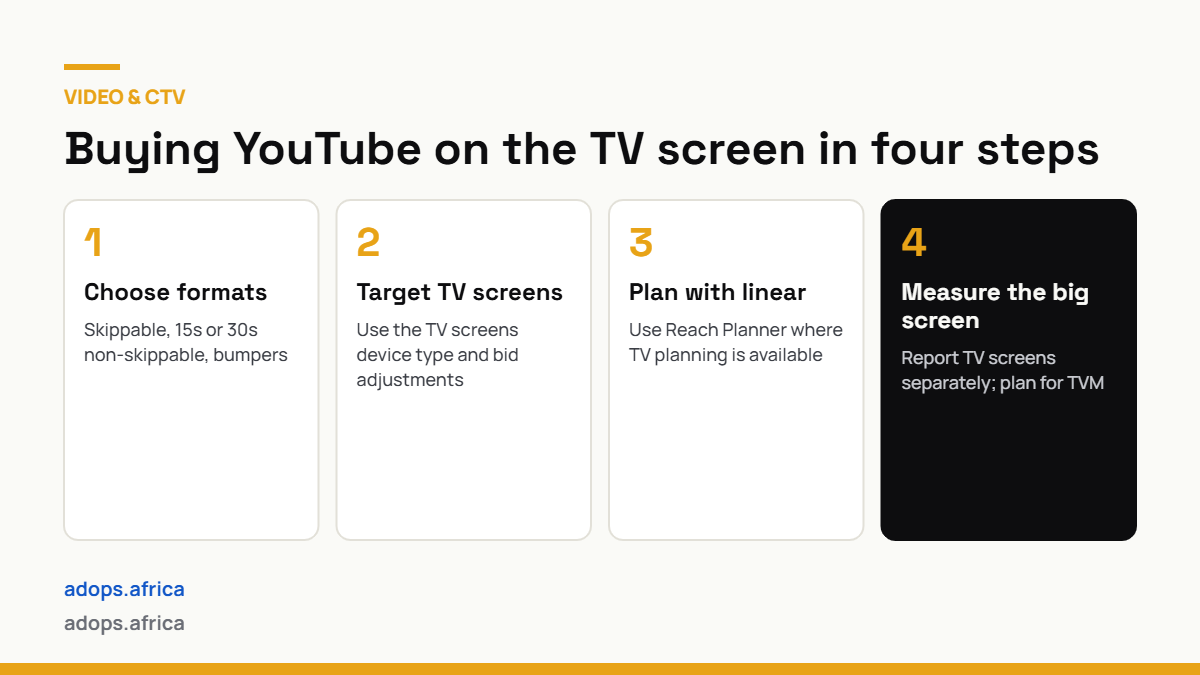
- You can buy YouTube on the TV screen in Google Ads by targeting the TV screens device type.
- 30-second non-skippable ads run only on TV screens; premium formats are sold through reservations.
- Report TV-screen results separately, and plan alongside linear TV rather than instead of it.
South Africans still watch most of their favourite programmes on a TV set, and YouTube is the biggest free streaming service, according to the Broadcast Research Council’s 2026 survey as reported by The Media Online. That makes YouTube on connected TV (CTV) one of the simplest ways to add reach on the big screen. This guide covers what you can buy, how to target it, how to plan it next to linear TV, and how to measure it.
What you can buy
Google’s help pages list these formats for YouTube on TV screens:
| Format | Length | How it’s bought |
|---|---|---|
| Skippable in-stream | Any length; skippable after 5 seconds | Auction (target CPM, CPV or video action campaigns) |
| Non-skippable in-stream | Up to 15 seconds | Auction with target CPM |
| 30-second non-skippable | 16 to 30 seconds, horizontal only | TV screens only; target CPM video reach, or reservations for guaranteed delivery |
| Bumper | Up to 6 seconds | Auction or reservation |
| Branded Slates and other premium TV placements | Varies | Through a Google sales representative |
Google notes that 30- and 60-second non-skippable ads are available through Google Ads reservations and Display & Video 360 instant deals, and that auction campaigns may be eligible but “eligibility doesn’t guarantee” they serve on TV. If guaranteed big-screen delivery matters, talk to Google about reservations.
How to target the TV screen
- Create a video campaign in Google Ads and check that the TV screens device type is included. Google added it alongside computers, phones and tablets to reach people watching on smart TVs, consoles and streaming devices.
- Use a device bid adjustment if you want to weight spend towards or away from TV screens.
- Split TV-screen and mobile activity into separate campaigns if you want clean reporting and different creative for each.
- Check the device report after launch to confirm how much of your delivery actually ran on TV screens.
Planning alongside linear TV
Google’s Reach Planner can forecast a combined YouTube and linear TV plan, showing total reach, frequency, CPM and TRPs, and can suggest moving part of a TV budget to YouTube or adding YouTube on top. It includes co-viewing, the extra people who see an ad when several watch together on a TV. Google says TV planning is only available in “select countries”, so check with your Google contact whether South Africa is supported before you build a plan around it.
Hypothetical example: a South African food brand runs a national linear TV campaign but reaches few viewers under 35. It keeps its TV budget, adds a YouTube campaign targeted to TV screens with the same 30-second ad, and compares reach among younger adults with and without YouTube in the plan.
Creative for the big screen
- Use horizontal 16:9 video. Google says 30-second non-skippable assets must be horizontal.
- Assume sound is on, but put the brand on screen early in case viewers look away.
- Make text readable from across a room, and don’t rely on clicks; viewers can’t easily tap a TV.
How to measure it
Treat CTV as a reach and brand channel, not a click channel. Report TV-screen delivery separately from mobile, and judge it on reach, frequency and completed views among your target audience. Our guide to video campaign reporting explains why a completed view isn’t a business result.
South Africa’s TV measurement is also changing. From January 2027 the BRC’s Total Video Measurement replaces TAMS. Our explainer on the move to TVM covers what that means for comparing TV and online video.
What to do next
- Check your current YouTube campaigns’ device reports: how much already runs on TV screens?
- Ask Google whether Reach Planner’s TV planning and reservation formats are available for South Africa.
- Brief a horizontal, sound-on, brand-early edit for the big screen.
- Agree with the client how YouTube CTV reach will be reported next to linear TV.
Share with your team
We’ll check how much of our YouTube delivery already runs on TV screens, ask Google about TV planning for South Africa, and brief a big-screen edit for the next campaign.
Read next: After Showmax: where South Africa’s TV audiences went · South Africa’s TV measurement is changing · Video campaign reporting
Sources
- Google Ads Help: About YouTube TV ad formats
- Google Ads Help: Non-skippable in-stream ads
- Google Ads Help: TV screens device category for connected TVs
- Google Ads Help: Create a YouTube media plan with TV in Reach Planner
- The Media Online: TV isn’t dying, it’s diversifying (8 Sep 2026)
Researched and drafted with AI assistance, then reviewed, fact-checked and edited by Pilira Mwambala. See our Editorial & AI Policy.