



In brief
- Google Tag Manager containers collect old tags, duplicate tracking and forgotten access over time.
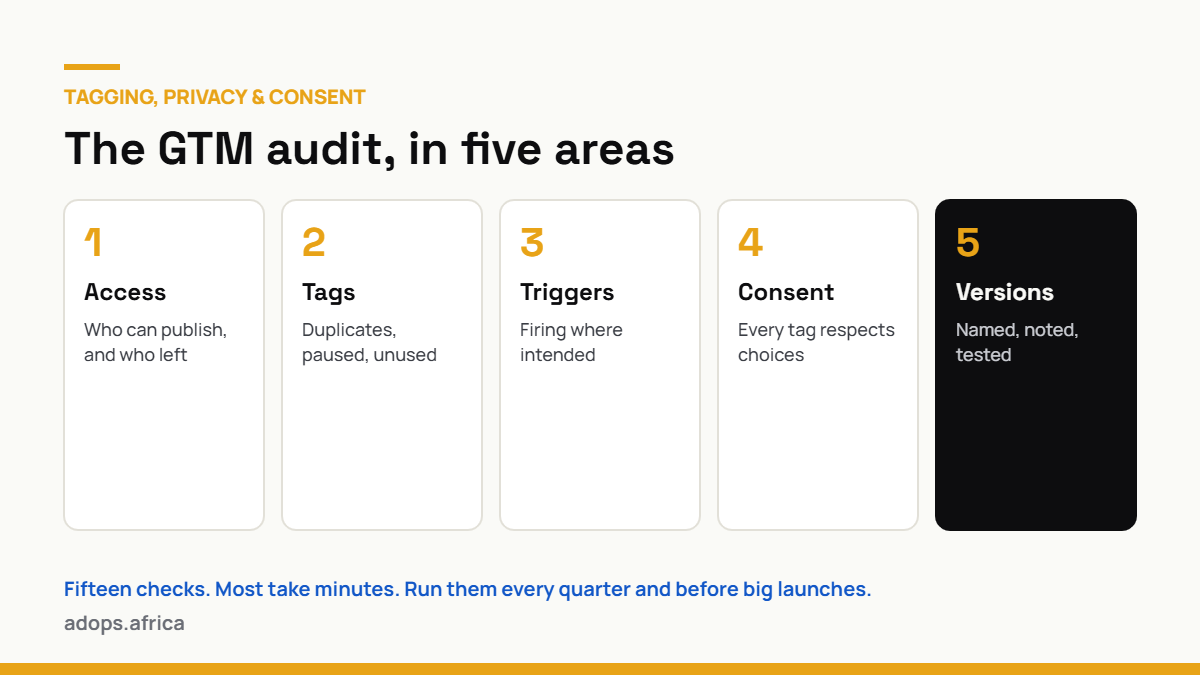
- Fifteen checks across access, tags, triggers, consent and versions catch most problems.
- Run the audit every quarter and before any big launch; most checks take minutes.
Google Tag Manager makes it easy to add tags. That’s the problem. After a year or two, most containers hold tags nobody remembers adding, two copies of the same analytics tag, triggers that fire on every page, and access for people who left long ago. Here are 15 checks to run before your next campaign launch. Most take a few minutes.
Access
- Review who has access. In Admin → User Management, remove anyone who no longer needs it, including former staff and past agencies.
- Limit publish rights. Only a few people should be able to publish. Others can edit and request approval.
- Check the Google accounts behind access. Access should be through work accounts protected by two-step verification, not personal email addresses.
Tags
- Look for duplicates. Two GA4 tags, or a Google tag in GTM and another hard-coded on the site, double-count every page view.
- Remove paused and unused tags. If a tag has been paused for months, or belongs to a platform you no longer use, delete it. Old pixels still collect data.
- Review every Custom HTML tag. These run any code you put in them. Check what each one does, who added it, and whether it’s still needed. They are a security risk if nobody owns them.
- Check IDs. Measurement IDs and conversion IDs should be stored once, in constant variables, not typed into many tags.
Triggers
- Check what fires on all pages. Only tags that truly need every page should use the All Pages trigger.
- Check conversion triggers. Conversions should fire on the confirmation page or event, once per conversion, not on a button click that might not complete.
- Remove unused triggers and variables. GTM shows which ones aren’t referenced by any tag. Clutter makes mistakes more likely.
Consent
- Check consent settings on every tag. GTM’s consent overview shows which tags have consent checks. Marketing and analytics tags should respect your visitors’ choices.
- Test with consent declined. Use Preview mode, decline cookies on your banner, and confirm that tags behave as your privacy policy says they do. Our Consent Mode guide explains the defaults.
Versions and housekeeping
- Name and describe every version. ‘Added Meta purchase tag for Summer Sale’ is useful in six months; ‘Version 47’ isn’t.
- Test in Preview before publishing. Every change, every time, with the full click-to-conversion test for anything touching conversions.
- Clean up workspaces. Old, unpublished workspaces with half-finished changes cause conflicts. Merge or delete them.
Signs your container needs an audit now
- GA4 shows more page views than sessions would suggest, or a bounce rate near zero: often a duplicate tag.
- Ad platforms report conversions your sales system can’t find.
- Nobody can say who added a tag, or what a Custom HTML tag does.
- Your site feels slow on mobile, and a speed test lists many third-party scripts.
Any one of these is reason enough to run the checks this week rather than next quarter.
Why it matters in Africa
Many African brands have changed agencies more than once, and each agency leaves tags and users behind. Under POPIA, you’re responsible for what data your site collects and who it goes to, including through tags you’ve forgotten. An audit is one of the cheapest ways to show you take that seriously. It also speeds up your site: every unused tag is code your visitors download on mobile data.
How to run it
Export the container first (Admin → Export Container) so you have a backup. Work through the checks in a copy of your workspace, make the changes, test them in Preview, and publish one clean version with a clear description. Keep the export file somewhere safe: if a change goes wrong, you can import it to roll back. Then log the date of the audit in your tracking plan and book the next one in three months.
If you inherit a container from another agency, run the audit before you change anything else. It tells you what you’re responsible for, and it gives you a clean starting point to measure from. Ask the previous agency for their tracking documentation too; if they have none, that tells you how much the audit matters.
How to measure success
Count tags, triggers and users before and after, and note any duplicates you removed. The real test is the data: after a clean-up, page views and conversions in GA4 should line up more closely with your ad platforms and sales system.
Share with your team
Every quarter: review GTM access, remove duplicate and old tags, check triggers and consent, and publish one tested, clearly named version.
Read next: The campaign tracking plan · The digital campaign launch checklist
Sources
Researched and drafted with AI assistance, then reviewed, tested and edited by Pilira Mwambala. See our Editorial & AI Policy.