



In brief
- A conversion that isn’t tested end to end is a guess, and Smart Bidding will optimise to the guess.
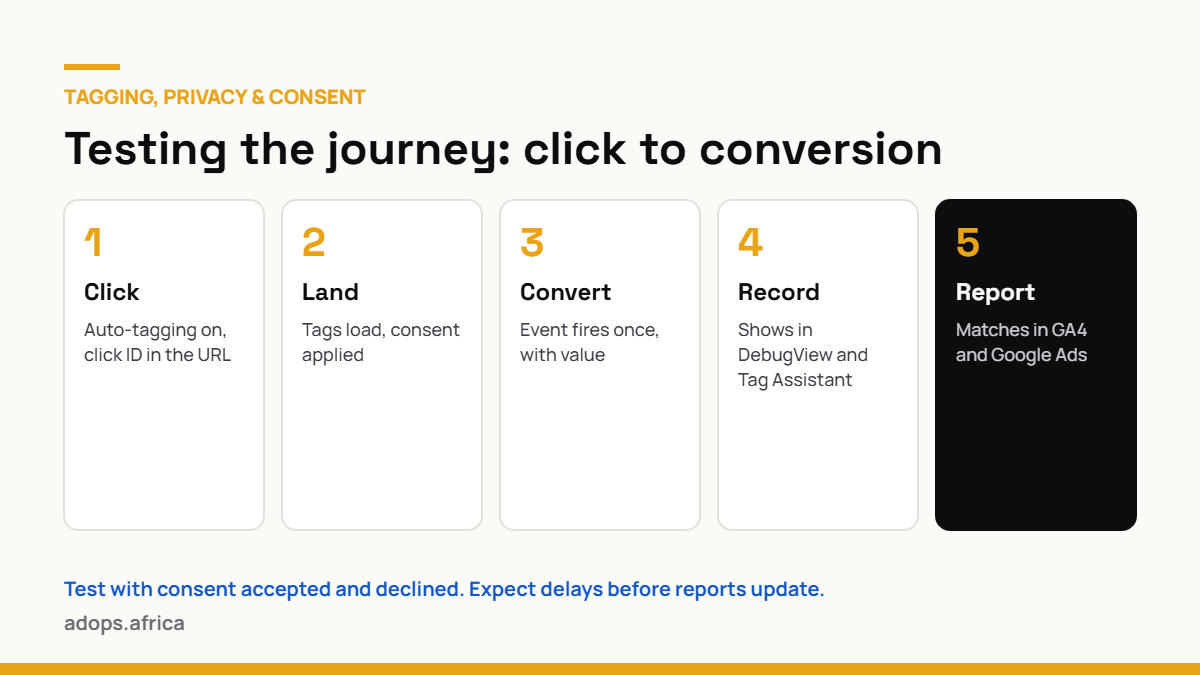
- Test five stages: the click, the landing, the conversion, the recording and the reports.
- Use Tag Assistant and GA4 DebugView, test with consent declined too, and allow for reporting delays.
Most tracking problems aren’t discovered by testing. They’re discovered weeks later, when a client asks why Google Ads shows 80 sales and the shop shows 40. A full test from ad click to conversion takes about 20 minutes and catches most of them before launch. Here’s how to do it for GA4 and Google Ads.
Before you start
- Turn on auto-tagging in Google Ads (Admin → Account settings). It adds a click identifier to your ad links so conversions can be matched to clicks.
- Make sure GA4 and Google Ads are linked, and decide which conversions are primary in Google Ads.
- Have Google Tag Assistant open (tagassistant.google.com) and GA4’s DebugView ready (Admin → DebugView).
1. The click
Use the ad preview tool, or a test link with the same final URL and parameters, so you don’t click your own live ads repeatedly. When the page loads, check the address bar: you should see the click identifier (gclid) and your UTM parameters, if you use them. If a redirect strips them, conversions can’t be matched. Fix that first.
2. The landing
Connect Tag Assistant to your site. Check that the Google tag loads once, not twice, and that consent is applied: before you accept cookies, tags should respect your banner’s default settings. Accept cookies and check again.
3. The conversion
Complete the action as a real customer would: submit the form, or place a test order using your shop’s test mode or a cheap item you can refund. Watch Tag Assistant as you do it. The conversion event should fire once, on the confirmation step, with the right value and currency.
4. The recording
In GA4 DebugView, you should see the event, such as purchase or generate_lead, appear within seconds, with its parameters. In Google Ads, the conversion action’s status should move from ‘Unverified’ towards ‘Recording conversions’ once real conversions come through. Google’s Tag Assistant help page covers what to do if it doesn’t.
5. The reports
Verification happens in two stages, and it helps to know which tool answers which question.
- Real-time confirmation (seconds to a minute): GTM Preview mode, Google Tag Assistant and GA4 DebugView show tags and events as they fire. Use them to confirm that the right event fires once, with the right parameters.
- GA4 Realtime report (the last 30 minutes): shows traffic and basic events from real visitors, so it’s a quick check that live data is flowing. It’s not reliable for attribution across channels, so don’t judge campaigns on it.
- Final verification (after about 24 hours): check three reports side by side: Google Ads’ own conversion tracking, the GA4 conversions imported into Google Ads, and GA4’s standard and attribution reports. The test conversion should appear in each, credited to the right campaign.
If GA4 shows the conversion but Google Ads doesn’t, check the link between the accounts and which conversion is set as primary. Small differences between the three are normal, because each counts and attributes conversions differently.
Test with consent declined, too
Repeat the journey in a fresh private browser window and decline cookies. Tags should behave as your privacy policy describes. With Consent Mode, Google tags send limited, cookieless signals instead of full data. You won’t see the same detail in DebugView, and that’s expected.
Who should test
Ideally, someone other than the person who built the tags. A fresh pair of eyes follows the journey the way a customer would, not the way the developer expects. If you work alone, test on a different device and browser from the one you built on, and write down each step as you go, so the test can be repeated by anyone after the next site change.
Common problems and fixes
- Conversions counted twice: both a Google Ads tag and an imported GA4 conversion are primary. Keep one primary.
- Conversion fires on page reload: set the conversion to count once per click for leads, and make sure purchase events include a unique transaction ID.
- Click ID missing: a redirect, link shortener or form plug-in is dropping URL parameters.
- Wrong value or currency: the data layer sends a hard-coded value, or a value in US dollars to a rand account.
Learn the tools properly
If DebugView, Tag Assistant or attribution reports are new to you, Google’s free Skillshop courses for Google Analytics and Google Ads cover them in depth, with certifications at the end. Our guide to free certifications sets out which ones to take first.
Why it matters in Africa
Smaller accounts can’t afford to optimise to bad data: a week of double-counted conversions can send Smart Bidding in the wrong direction. Many local sites also use payment pages hosted by a third-party gateway, which can break the journey back to the confirmation page. Test the full payment flow, including the return to your site.
How to measure success
After launch, compare conversions in Google Ads, GA4 and your shop or CRM weekly. Small differences are normal; a gap of more than about a fifth is worth investigating. Keep a record of each test, with the date and result, in your tracking plan.
Share with your team
Before launch, test the whole journey: click ID in the URL, tags with consent, one conversion with the right value, visible in DebugView, and matching in both reports the next day.
Read next: GTM container audit: 15 checks · Can you QA this campaign?
Sources
- Google Ads Help: Use Tag Assistant to troubleshoot your unverified or inactive conversion actions
- Google Ads Help: Troubleshoot your sitewide tagging
- Google Developers: Consent mode overview
Researched and drafted with AI assistance, then reviewed, tested and edited by Pilira Mwambala. See our Editorial & AI Policy.