



In brief
- Server-side tagging moves your tags from the visitor’s browser to a server you control, usually on Google Cloud.
- It can speed up pages and give you more control over data, but it costs money and needs skills.
- It is not a way around consent: POPIA still applies.
Server-side tagging is one of the most talked-about changes in digital measurement, and more agencies now pitch it to clients. For some advertisers it is a smart investment. For many others, it is an expensive answer to a problem they don’t have yet. Here is what it is, what it really costs, and four checks to decide whether it’s right for you.
What is server-side tagging?
In a standard set-up, your website loads tags from Google, Meta and other vendors in the visitor’s browser, and each tag sends data straight to its platform. With server-side Google Tag Manager, the browser sends data to one place first: a tagging server that you run, called a server container. That server then decides what to pass on to each platform.
Google recommends running the tagging server on its Cloud Run service. It also strongly recommends mapping it to a subdomain of your own website (for example, a hypothetical metrics.yourbrand.co.za) instead of the default Cloud Run address.
What you gain
- Lighter pages. Fewer tags run in the browser, so there is less code for the visitor’s phone to load. That matters when people pay for every megabyte, as we show in the real African ad stack.
- More control over data. Data passes through a server you manage before it reaches each vendor, so you can see and limit what is shared.
- Longer-lasting first-party cookies. On your own subdomain, the server can set HttpOnly cookies, which scripts on the page cannot read.
- One route to server-to-server APIs. Many ad platforms now accept conversions directly from servers, and a tagging server gives you one place to manage them.
- No risk to the site itself. Google notes that Cloud Run downtime doesn’t affect your website’s performance, though you would lose measurement during an outage.
What it costs
Google’s automatic set-up is free in most cases, but Google says it is for testing limited traffic only. For live traffic, its guides recommend at least two to three servers for redundancy, and estimate roughly US$30 to US$50 per server per month. Hypothetical example: three servers at about US$45 each comes to roughly US$135 a month, before network and logging charges. Google warns that request logging can add significant cost above 1 million requests a month.
Location matters too. The automatic set-up creates the server in Google’s us-central1 region in the United States. Google’s Johannesburg region (africa-south1) is available for Cloud Run, but it is in a higher pricing tier, and moving region means creating a new service. Use Google’s pricing calculator and set a billing alert before you go live.
Then there is the cost Google can’t estimate for you: people. Someone has to set the server up, keep it updated, check it after every change and fix it when something breaks. Managed hosting providers can take on the infrastructure, but not the tracking plan or the QA.
Why should you care?
Browser privacy features, ad blockers and consent choices all reduce what tags can see, and server-side tagging is often sold as the fix. It can help, but it does not bring back data from people who said no, and it cannot repair a broken tracking plan. If your conversions aren’t counted correctly in the browser, moving them to a server just moves the problem. Start with a GTM container audit and test the full journey from click to conversion.
What does it mean in African markets?
In South Africa, server-side tagging doesn’t change whether you need consent. Personal information on your tagging server is still personal information you are processing under POPIA, so your cookie banner and policies still apply, as explained in our POPIA and cookies guide.
Consent mode carries over. Google says you only need to set up consent mode in the web container: the browser passes the visitor’s choices to the server, and Google’s own tags there adjust what they send. Google’s guide doesn’t cover non-Google tags, so check how each vendor handles consent before you move its tag. If you haven’t set up consent mode yet, start with our Consent Mode v2 guide.
If where data is processed matters to your legal team, the Johannesburg region is an option to discuss, at a higher price.
What should you do next?
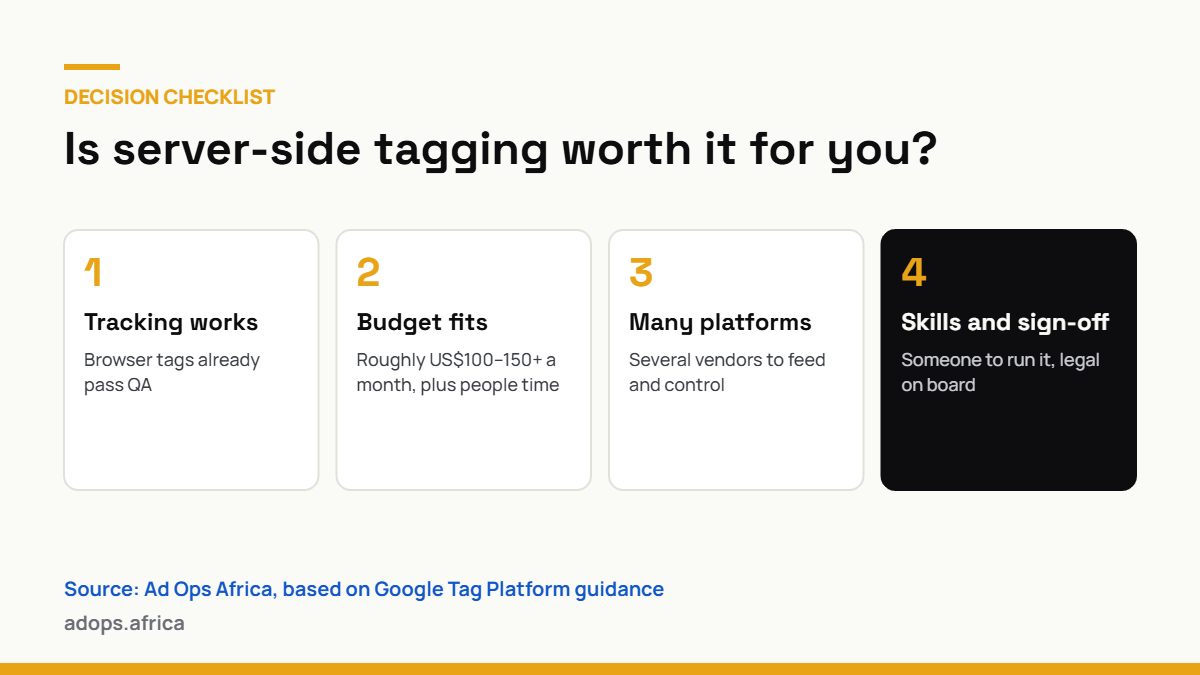
Server-side tagging is usually worth it when all four of these are true:
- Your browser tracking already works. Tags fire correctly, conversions match your sales or leads, and consent mode is in place.
- The budget fits. Your media spend is large enough that better measurement pays for at least US$100 to US$150 a month in hosting, plus people time.
- You feed several platforms. You send conversions to Google, Meta and others, and want one place to control what each receives.
- You have the skills and the sign-off. Someone can run and QA the server, and your legal or privacy lead has approved how data flows.
If two or more are missing, fix the basics first. A clean browser set-up with consent mode will do more for most African advertisers than a server they can’t maintain.
You also don’t have to choose between all-browser and all-server. A staged route lowers the risk:
- Phase 1: audit and fix the basics. Audit your GTM containers, implement Consent Mode v2, and check that browser tracking matches your CRM or sales records.
- Phase 2: a hybrid roll-out. Move your highest-impact platforms to server-side first, for example Meta’s Conversions API, and measure the incremental lift before you move your whole tagging set-up over. Our guide to attribution vs incrementality explains how to test that.
How do you measure success?
- Page speed: compare PageSpeed Insights scores and load times before and after.
- Conversion counts: compare conversions in each platform for the same period before and after, against your own sales or lead records.
- Cost: track monthly hosting and logging costs against your billing alert.
- Reliability: monitor server health and look for gaps in reporting.
Share with your team
We won’t move to server-side tagging until our browser tracking passes QA. When we do, we’ll budget for at least two to three servers, set a billing alert, keep consent mode working, and compare conversions before and after.
Read next: Consent Mode v2 in Google Tag Manager · GTM container audit: 15 checks to run before your next launch
Sources
- Google Tag Platform: Server-side tagging overview
- Google Tag Platform: Set up server-side tagging with Cloud Run
- Google Tag Platform: Planning infrastructure requirements and costs
- Google Tag Platform: Implement consent mode with server-side Tag Manager
- Google Cloud: Cloud Run locations
Researched and drafted with AI assistance, then reviewed, fact-checked and edited by Pilira Mwambala. See our Editorial & AI Policy.