



In brief
- Most platform announcements don’t need action; a few change your campaigns by default.
- Use six questions: what changed, can we use it, does it affect us, should we test, how to measure, who to tell.
- Default-on changes come first: check your accounts before you read the hype.
A platform announces a new feature. The trade press calls it a game-changer. Your client forwards the article and asks what you’re doing about it. Most teams either ignore it or switch it on and hope. There’s a better way, and it’s the way we’ll cover every platform update on Ad Ops Africa.
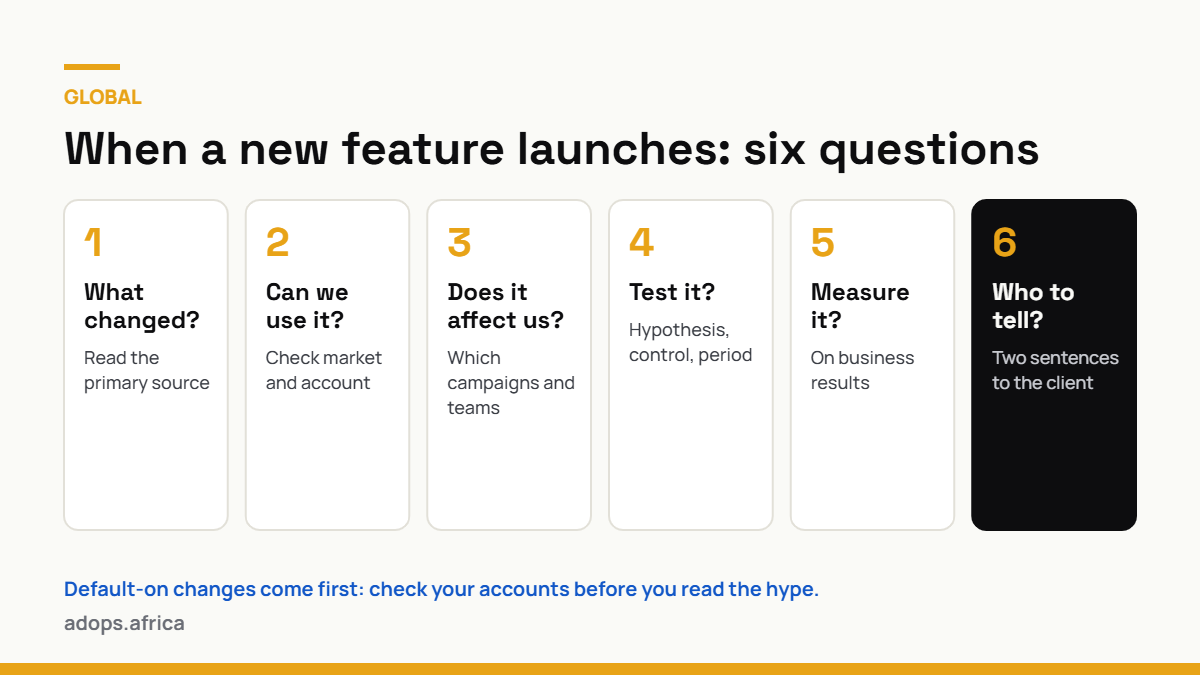
1. What actually changed?
Read the primary source: the platform’s own blog, help page or the email it sent advertisers. Trade press is useful for spotting news, but details get lost. Note three things: what the feature does, whether it’s on by default, and the date.
2. Can we use it here?
Many features launch in the US or a few large markets first. Check the help page for country lists, then check your own account. If it’s not there, note it and move on. If it’s a default-on change, assume it’s arrived until you’ve checked.
3. Does it affect our campaigns?
Ask which campaigns, objectives and teams it touches. A new bidding option matters to the search team; a change to conversion counting matters to everyone who reports. Changes to measurement, consent or billing usually matter more than new ad formats.
4. Should we test it?
If it might help, write a short test plan: one campaign, a clear hypothesis, a fixed period, and a control. If it’s default-on and risky, decide whether to switch it off now and test later. ‘Wait and see’ is a fine answer for most features.
5. How will we measure it?
Agree the business result you’ll judge it on, not the platform’s own metric for the feature. Record the date it went live so you can compare before and after.
6. Who needs to know?
Write two sentences for the client or your manager: what it is and what you’re doing about it. That answers the forwarded article before it’s sent.
A worked example
In October, Google started adding promotions from advertisers’ websites into some Search and Performance Max campaigns, switched on by default. Run through the questions:
- What changed? Google’s email to advertisers, reported by Search Engine Roundtable: automated promotions from 12 October, opt-out.
- Can we use it? It applies to campaigns with location assets and no promotion assets; check the account settings.
- Does it affect us? Yes, if you run promotions with terms, or sell through retailers whose prices differ.
- Test it? Probably switch it off for regulated or retailer-led brands; consider testing for simple e-commerce sites.
- Measure it? Conversion rate and complaints about offers, before and after.
- Tell whom? The client’s legal or promotions team, in two sentences.
Why it matters in Africa
Smaller teams can’t chase every announcement. This approach keeps the work proportionate: five minutes to decide that most updates don’t apply yet, and real attention for the few that do. It also protects you from features built for larger markets, where they have more data to learn from than a typical African account.
How to measure success
Keep a simple log of features you’ve reviewed, the decision and the result. After a quarter, you’ll know which kinds of updates are worth your time, and your clients will see you’re on top of the changes.
Share with your team
When a feature launches: read the primary source, check if it’s live for us, decide test or ignore, measure on business results, and tell the client in two sentences.
Read next: The global developments to watch this quarter · The weekly optimisation routine
Sources
Researched and drafted with AI assistance, then reviewed and edited by Pilira Mwambala. See our Editorial & AI Policy.